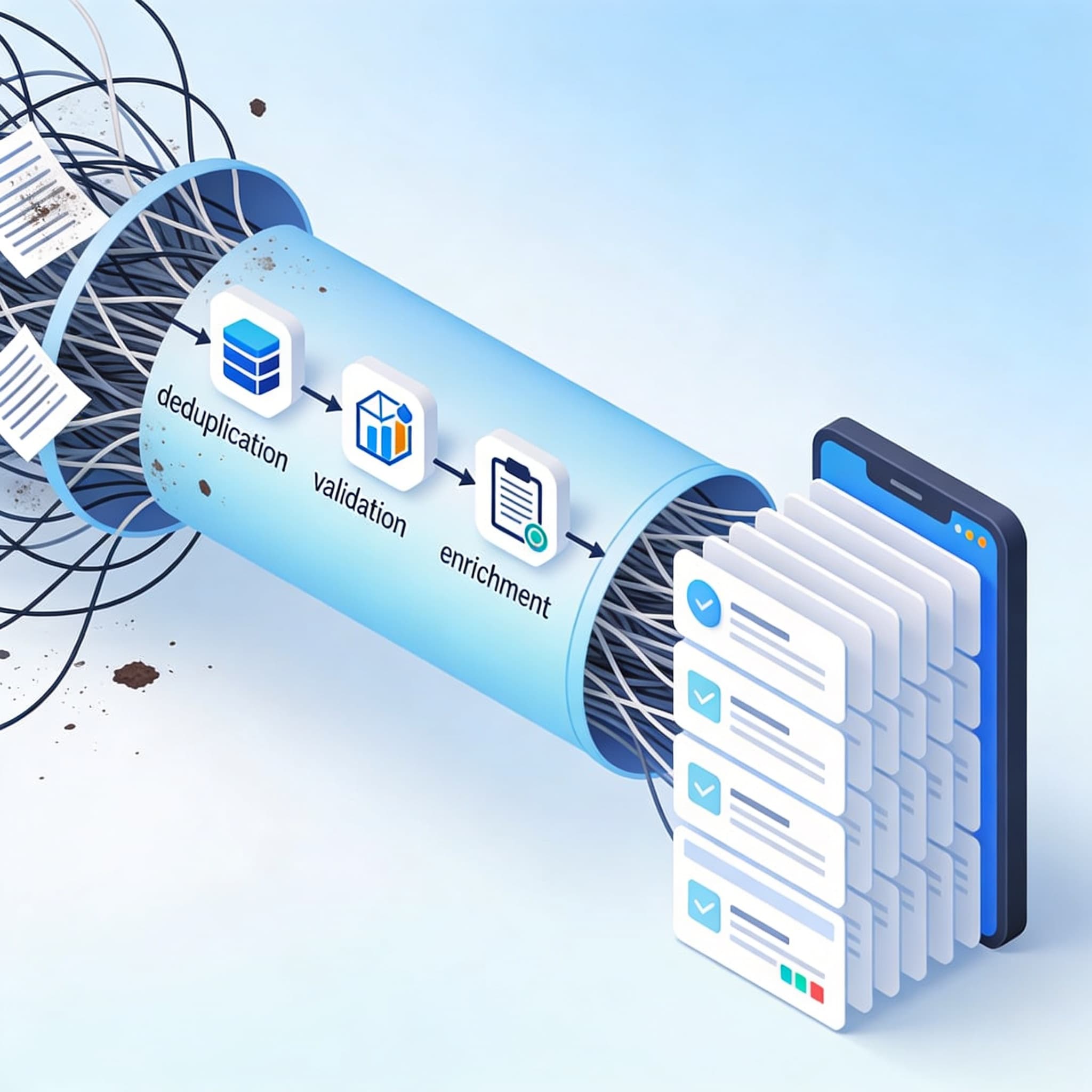
CRM Data Migration Best Practices: Ensuring Data Integrity from Day One
Data migration is the unsung determinant of CRM success. While organizations carefully evaluate features, user interfaces, and integrations when selecting a CRM, it is often the overlooked process of transferring legacy data that decides whether implementation succeeds or fails. In fact, industry studies show that 55% of CRM deployments fail to achieve intended objectives, primarily due to data quality and integrity challenges, not software limitations.
At Lodgestory, where our unified CRM powers omnichannel communication and automation for hospitality, logistics, travel, and healthcare enterprises, we’ve seen firsthand that a well-planned data migration ensures not just a smooth implementation but sustainable personalization, automation, and predictive insights for the long term.
This article outlines best practices for CRM data migration—from mapping and cleansing to validation and governance—and explains how Lodgestory enables businesses to start with clean, connected, and reliable data from day one.
The Real Challenge: Data Integrity, Not Just Data Transfer
CRM migration isn’t a one-time data dump—it’s a surgical operation. Data arriving from spreadsheets, legacy systems, or previous CRMs often contains:
- Inconsistent field formats (e.g., inconsistent phone number entries)
- Duplicate contacts and companies
- Outdated customer records
- Misaligned taxonomies (e.g., mislabelled lead vs. contact entities)
- Missing attributes crucial for personalization and segmentation
According to recent research, 76% of CRM users admit that less than half of their CRM data is accurate and complete, and 37% report measurable revenue loss caused by data quality problems. These statistics reinforce one rule: Clean data is not optional—it’s foundational.
A CRM migration that simply ‘moves’ poor-quality data will replicate systemic issues in a new environment, magnifying them with every automation and campaign.
Step 1: Design a Robust Data Mapping Strategy
Understanding What Data Mapping Means
Data mapping translates old data structures into the architecture of your new CRM—field by field, definition by definition. A poorly executed map leads to lost relationships, empty fields, and broken reports. A successful map ensures your new CRM speaks the same “language” as your business.
Key Steps to Effective Data Mapping
- Inventory All Source Data: Identify every source—marketing systems, booking platforms, voice logs, legacy CRMs, and spreadsheets.
- Define Entity Relationships: Map not just fields but relationships. For example, in Lodgestory, a “Contact” may connect to multiple “Chats,” “Tickets,” and “Campaigns.”
- Establish Transformation Rules: Where field structures differ, define logic. For instance:
IF Source.Field = 'FullName' THEN Split → Target.FirstName, Target.LastName - Prioritize Business Meaning: Align definitions across departments. Make sure “Lead,” “Guest,” and “Opportunity” are consistent across Sales, Support, and Marketing.
Lodgestory in Action
Lodgestory’s CRM with Custom Properties simplifies mapping with variable types and advanced filtering. It supports API-based imports from legacy systems, where admins can match properties automatically or override them through rule-based logic. This allows seamless migration even when your old system doesn’t follow modern naming conventions.
Step 2: Execute Comprehensive Data Cleansing Before Migration
Migrating data without cleansing is like moving into a new house with all your old clutter. To preserve data integrity, create a dedicated cleansing phase before importing anything into Lodgestory.
Key Cleansing Practices:
- Standardize Formats: Normalize addresses, phone numbers, and ID types.
- Deduplicate: Identify duplicates via key attributes like phone, email, or booking ID.
- Enrich Data: Add missing information from verified third-party sources or internal systems.
- Purge Obsolete Records: Remove stale or inactive leads beyond a defined time horizon.
- Validate Data Semantics: Ensure “Status,” “Priority,” and categorization fields use valid enumerations compatible with Lodgestory’s CRM logic.
With Lodgestory’s bulk contact operations and advanced filtering (equals, contains, starts_with, gt, lt, is_empty), your teams can cleanse large datasets safely before automation begins. Lodgestory agents or workflow bots can also be trained to detect anomalies, such as repeated guest entries or outdated reservations.
Step 3: Plan for Validation and Rollback
A common cause of CRM migration disasters is skipping validation—or assuming post-migration checks can be handled ad hoc. In reality, issues surface weeks later, often too late to roll back.
Validation Framework Checklist:
- Pre-Migration Test Loads: Migrate a small representative dataset.
- Data Reconciliation Reports: Compare record counts, key field values, and relationships before and after migration.
- Parallel Running Period: Keep the old system in read-only mode for comparison.
- User Testing: Let power users test workflows with live data.
- Rollback Plan: Maintain snapshot backups or exports that allow rapid restoration if key issues arise.
Lodgestory simplifies validation through detailed analytics dashboards across five report types—Chat, Contact, Ticket, Call Log, and Goal Conversion—helping verify if migrated data populates correctly and feeds downstream automations. By using async report generation and exportable summaries, your team can quickly diagnose inconsistencies.
Step 4: Build a Data Governance Framework
Why Governance Matters
Without governance, data deteriorates. Once new sales, chat interactions, and bookings start flowing into your Lodgestory workspace, maintaining integrity requires defined rules to prevent drift.
Governance Essentials:
- Data Stewardship Roles: Assign owners for key entities (e.g., CRM Admin for contact hygiene, Marketing Lead for campaign data integrity).
- Data Entry Standards: Create field usage rules—for example, always record source channels (WhatsApp, Email, Call).
- Audit Mechanisms: Schedule monthly audits using Lodgestory’s filters and analytics exports.
- Automate Data Verification: Deploy AI Agents or Bot Journeys with validation nodes that prompt for missing fields before submission.
Lodgestory’s ecosystem inherently supports ongoing data governance. By combining its Unified Inbox and CRM with AI automation, teams can standardize data capture at every customer touchpoint, from WhatsApp and email to voice and IVR interactions.
Step 5: Align Migration with Business Automation Goals
Migrating CRM data shouldn’t just replicate historical records—it should enable future automation and personalization. Lodgestory helps organizations connect data readiness with workflow intelligence.
Use Case Example: Hospitality CRM Migration
A hotel chain migrating to Lodgestory from spreadsheets cleaned historical guest information and merged all reservations and service requests into the CRM. Once loaded into Lodgestory:
- Bot Journeys automated guest check-in notifications via WhatsApp.
- AI Agents suggested upsells based on historical room preferences.
- The Campaign Manager triggered personalized messages for returning guests.
The result: A 40% faster response rate and notable improvement in guest satisfaction—powered by clean data and precise automation alignment.
Similar outcomes extend across logistics and healthcare, where Lodgestory’s unified systems integrate delivery updates or appointment confirmations directly from a validated CRM backbone.
Step 6: Leverage AI for Ongoing Data Quality
While data governance and manual oversight are crucial, AI-driven validation adds another layer of protection.
Lodgestory’s AI Agents with Knowledge Base integration can:
- Identify incomplete or anomalous entries.
- Recommend schema corrections (e.g., invalid regions or customer statuses).
- Suggest record merges when duplicates are detected.
- Enrich customer profiles via external data queries.
Over time, AI-based validation functions as a digital steward—ensuring CRM data remains accurate, consistent, and contextually useful for decision-making.
For a deeper look at how Lodgestory’s AI ecosystem powers data-driven personalizations, explore “AI Experience Reimagined: How Lodgestory Is Turning Conversations into Actions”.
Step 7: Plan Migration as a Multi-Phase Journey
Treat CRM migration as an iterative project rather than a one-time technical exercise.
- Phase 1: Assessment – Conduct data inventory and profiling.
- Phase 2: Cleansing – Standardize and validate external data.
- Phase 3: Mapping & Testing – Align business semantics and test in a sandbox.
- Phase 4: Load & Validate – Execute import with controlled monitoring.
- Phase 5: Optimize – Post-migration audits and AI-driven enrichment.
This phased approach aligns with Lodgestory’s structured onboarding program, ensuring businesses maintain operational continuity while upgrading systems.
Measuring Post-Migration Success
A successful data migration is measured not by the speed of execution but by accuracy, adoption, and business impact.
Key Metrics to Track:
- Data accuracy rate post-import (target >95%)
- Duplicate record ratio (<1%)
- Automation readiness score (number of bot-triggerable fields)
- Campaign segmentation effectiveness
- Business KPI alignment: shorter response times, higher conversion rates
Lodgestory’s unified analytics suite enables tracking these metrics within its workspace, connecting CRM health directly to revenue and performance outcomes.
Common Pitfalls to Avoid
- Skipping Transformation Rules: Never assume identical data structures.
- Ignoring Metadata Mismatches: Always verify field definitions and enumerations.
- Incomplete Testing: Test all relations—contacts, tickets, campaigns.
- Underestimating Integration Dependencies: Confirm that connected systems (ERP, PMS, payment gateways) sync properly after go-live.
- Neglecting Historical Data Context: Preserve timestamps, agents, and linked attachments.
Each of these can compromise CRM trustworthiness, leading to data confusion and automation breakdowns.
The Lodgestory Advantage: Clean Data, Continuous Trust
When businesses migrate to Lodgestory, they aren’t just implementing a new CRM—they’re establishing a data governance foundation for their entire omnichannel ecosystem:
- Unified Inbox ensures all interactions (WhatsApp, Email, SMS, Voice) are automatically logged to the correct contact profile.
- CRM with Custom Properties provides flexible schemas for any industry.
- Ticketing with SLA Controls ensures that migrated support histories remain actionable.
- AI Agents and Bot Journeys leverage accurate data for contextual automation.
Clean data isn’t the end goal—it’s the start of intelligent automation and meaningful engagement. Lodgestory ensures that every insight, conversation, and campaign is powered by data that can be trusted.
Final Thoughts
Data migration determines whether your CRM investments yield automation-ready intelligence or continue perpetuating old inefficiencies. By emphasizing mapping precision, cleansing rigor, and governance discipline—and with Lodgestory’s unified suite to safeguard and scale this foundation—businesses can ensure a future where every interaction is informed by integrity.
Sign up with the Free Forever Plan at https://lodgestory.com/signup to start building your CRM on a foundation of clean data and connected intelligence.