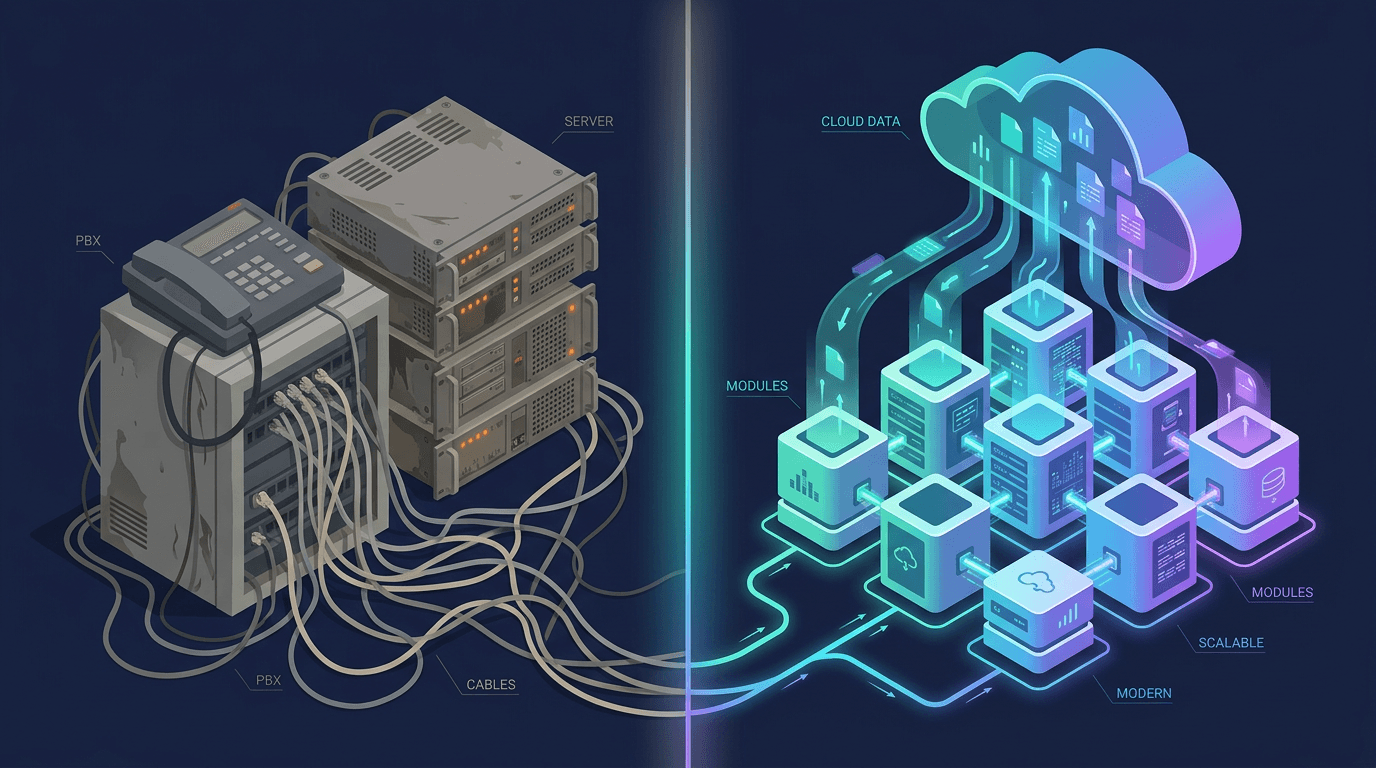
Customer expectations have changed faster than most phone systems can keep up with. Guests message hotels on WhatsApp, shoppers DM brands on Instagram, patients email clinics, and everyone still picks up the phone when something is urgent. Handling all of that from a legacy call center, or from a patchwork of disconnected tools, is expensive and slow. This is the problem Contact Center as a Service (CCaaS) was built to solve.
In this guide we explain what CCaaS is, how cloud-based contact centers work, how CCaaS differs from UCaaS (Unified Communications as a Service), and how to decide which one your business needs. We also show how Lodgestory unifies WhatsApp, Instagram, Email, SMS, and Voice/IVR in one inbox as a modern CCaaS alternative.
What Is CCaaS (Contact Center as a Service)?
Contact Center as a Service is a cloud-based solution that gives organizations the tools to manage customer interactions across multiple channels from a single platform. Instead of buying and maintaining telephony hardware, servers, and separate software for email and chat, you subscribe to a hosted service. The provider runs the infrastructure, handles uptime and upgrades, and delivers new features automatically.
AWS describes CCaaS as a cloud contact center solution that centralizes and streamlines customer service operations with more flexibility and scalability than traditional on-premises call centers. AT&T and Verizon describe it in similar terms: voice, SMS, chat, social media, and email brought together in one environment with seamless routing and analytics.
A typical CCaaS platform includes:
- Inbound and outbound calling with call recording and monitoring
- IVR (Interactive Voice Response) menus and self-service flows
- Automatic call distribution (ACD) that sends each inquiry to the right agent
- Omnichannel messaging across chat, SMS, email, and social channels
- Virtual agents that handle routine requests automatically
- Real-time dashboards and analytics for queue monitoring and performance tracking
- CRM and ticketing integration so agents see full customer context
The market reflects how central this model has become. CCaaS is now an estimated $8.4 billion global market, projected to grow at roughly 9.8% CAGR to $13.3 billion by 2030.
Why Businesses Are Leaving On-Premise Contact Centers
To understand why CCaaS matters, look at what it replaces. A well-documented case study of a large-scale migration at GlobalServe Inc. described a legacy environment with:
- A 12-year-old on-premises PBX for voice
- A standalone email management system
- A third-party chat platform
- A custom-built CRM
- A separate workforce management application
That was five systems, each with its own maintenance contract, totaling $1.8 million per year. The hidden costs were just as painful. Roughly 22% of agent time was lost to switching between systems, and average handle time was 7.2 minutes against an industry benchmark of 5.1 minutes. Training new agents meant teaching them to navigate multiple tools that did not share data.
Cloud platforms remove most of that friction. Large enterprises have followed the same path; HCLTech, for example, migrated more than 900 agents to a cloud CCaaS platform. If you want to understand how metrics like handle time are measured and improved, see our guide to Average Handling Time (AHT).
How Cloud Contact Center Software Works
Cloud contact centers run on multitenant architectures hosted in secure data centers operated by the provider. Your agents connect through a browser or app, and the platform handles three core functions.
1. Unified channel ingestion
Every interaction, whether a phone call, WhatsApp message, Instagram DM, email, or web chat, arrives in one system. Agents work from a single workspace instead of logging in to multiple tools. Each conversation appears as a structured item in a queue with contextual customer data alongside it.
2. Intelligent routing
Routing is the heart of any contact center. Basic setups use skills-based assignment, matching customers to agents by language, product knowledge, or department. Advanced setups add priority rules, customer profile data, and AI. IVR handles initial triage so callers can self-serve or be directed to the right queue. In the cloud, routing rules and IVR flows are updated centrally and go live instantly, with no hardware changes. For a deeper look, read What Is an ACD Call Center? and our overview of smart call routing.
3. Analytics and optimization
CCaaS platforms track metrics such as average handle time, first-call resolution, CSAT, and abandonment rate. This lets managers staff correctly, coach agents, and find bottlenecks. We cover the full list in 15 Essential Contact Center Metrics to Track in 2026.
What Is UCaaS?
Unified Communications as a Service (UCaaS) is a cloud-delivered bundle of tools for internal communication and collaboration. Gartner defines it as a multitenant, subscription-based service that typically includes business telephony, PSTN connectivity, meetings, and messaging. Familiar examples include Microsoft Teams, Zoom, and RingCentral.
UCaaS gives employees one interface for calls, video meetings, chat, calendars, and file sharing. It replaces disconnected tools and reduces IT overhead. But its design center is people talking to each other: colleagues, partners, and managers.
CCaaS vs UCaaS: The Key Differences
Both are cloud-delivered and subscription-based, and many vendors sell both. The difference is purpose and design.
- Primary purpose: CCaaS manages structured, high-volume interactions between a business and its customers. UCaaS enables collaboration among employees.
- Who uses it: CCaaS serves agents, supervisors, and support teams working queues. UCaaS serves everyone in the company.
- Routing and queues: CCaaS has ACD, skills-based routing, IVR, and queue management built in. UCaaS offers basic call forwarding, ring groups, and auto-attendants.
- Channels: CCaaS spans voice, email, SMS, web chat, and messaging apps such as WhatsApp and Instagram. UCaaS focuses on voice, video, and team chat.
- Performance management: CCaaS includes agent-level analytics, call recording, quality management, and workforce tools. UCaaS offers usage and meeting analytics.
- Customer data: CCaaS integrates with CRM and ticketing so agents see history and context. UCaaS integrates with productivity suites and calendars.
Industry analysts often place CCaaS, UCaaS, and CPaaS on a spectrum. CCaaS is a finished contact center application. UCaaS is a finished collaboration application. CPaaS is the API layer underneath that lets developers build their own communication experiences. The lines are blurring, since UCaaS vendors add basic call center features and CCaaS vendors add internal collaboration, but the core distinction remains: internal collaboration versus external customer engagement.
Which Do You Need: CCaaS, UCaaS, or Both?
You need CCaaS if:
- You handle a high volume of inbound or outbound customer conversations every day
- Customers contact you on several channels, and you struggle to keep context between them
- You need queues, IVR, skills-based routing, SLAs, or call recording
- You measure performance with metrics like first-contact resolution and response time
You need UCaaS if:
- Your main challenge is helping distributed employees meet, call, and message each other
- Customer interactions are occasional and handled by a few people
- You want to replace an old office phone system and consolidate video and chat tools
You need both if:
- You have a sizeable customer-facing team and a larger internal workforce that needs to collaborate with them
- Support agents regularly pull in specialists, such as a hotel front desk escalating to maintenance, or a logistics agent looping in dispatch
A practical rule of thumb: if the person on the other end of the conversation is a customer and you need to track, route, and measure that conversation, you need CCaaS. If the other person is a coworker, UCaaS is usually enough.
CCaaS Pricing Model vs On-Premise Hardware
The CCaaS pricing model is the biggest financial shift from legacy systems. On-premise contact centers demand heavy capital expenditure on PBX hardware, servers, and licenses, followed by ongoing maintenance, upgrades, and IT staff. Capacity is fixed, so you pay for peak demand all year.
CCaaS converts this to operating expense:
- Per-seat subscriptions: You pay monthly or annually for each agent. This is the most common model, though pricing varies widely by vendor and tier.
- Usage-based charges: Voice minutes, SMS, and messaging conversations are often billed on top of seats. WhatsApp, for example, has its own conversation fees; see How Much Does the WhatsApp Business API Cost in 2026?.
- AI and add-on fees: Some platforms charge per AI resolution or for premium modules such as workforce management and quality scoring. These can grow quickly at scale.
- Scalability: Add or remove agents for seasonal peaks, such as holiday travel or a hotel high season, without buying hardware.
When comparing options, look past the headline per-seat price. Count integrations, channel add-ons, AI usage, and the number of tools you would still need. Our TCO breakdown of Zendesk alternatives walks through how to do this.
Omnichannel Routing and CRM Integration: The Capabilities That Matter Most
Two features separate a modern cloud contact center from a glorified phone system.
Omnichannel routing
True omnichannel is not just supporting many channels; it is treating them as one conversation. A guest might ask a question on Instagram, follow up by email, and call the front desk the next morning. Without unified routing, that is three separate cases handled by three different people. With it, the agent sees the full history and replies from the same screen.
CRM integration
Agents resolve issues faster when customer data is in front of them. Booking details, past tickets, preferences, and lifetime value should appear automatically when a conversation opens. Many traditional CCaaS products treat CRM as a separate system to integrate. A CRM-native approach removes that gap entirely. Read more in Contact Center CRM Reinvented.
Lodgestory: A Modern CCaaS Alternative in One Inbox
Lodgestory by Inboxcentral takes the CCaaS idea and makes it accessible to businesses that do not want to run a multi-vendor stack. Instead of selling a voice-first contact center and leaving digital channels to other tools, Lodgestory brings WhatsApp, Instagram, Facebook Messenger, Email, SMS, web chat, and Voice/IVR into a single shared inbox with real-time updates.
Here is how Lodgestory maps to the core CCaaS requirements:
- Unified inbox: Every inbound message and call event lands in one queue. Agents filter by status, assignee, channel, priority, labels, and date range, and reply from the same interface.
- Voice and IVR: Click-to-call, call recording, monitor, whisper, barge, and transfer, department-based routing, IVR flows, and a browser-based WebRTC softphone. Call logs track direction, duration, status, and agent attribution. See Top 5 IVR Features Powering Omnichannel Customer Experience and What Is Call Barging?
- No-code Bot Journeys: A visual builder with 16+ node types lets teams design automated flows for bookings, FAQs, and lead capture on WhatsApp and other channels, with conditional logic, API calls, and agent handoff.
- AI Agents with tool calling: Agents backed by your own knowledge base can answer questions, call your systems to check bookings or order status, and hand off to humans when needed. Lodgestory customers can automate up to 70% of queries and respond about 40% faster. Learn more in AI Agents for Business.
- Built-in CRM: Contacts with custom properties, advanced filters, and direct links between contacts and chats, so context is always present.
- Ticketing and SLA tracking: Priority levels from SOS to Low, configurable issue categories, media attachments, and assignment tracking. See AI-Driven Ticketing.
- Campaigns: WhatsApp and email broadcasts using approved templates, scheduling, and per-recipient delivery tracking, which most traditional CCaaS platforms lack.
- Analytics: Chat, contact, ticket, call log, and goal conversion reports with date filtering and downloadable exports.
- Web chat widget: Add live chat to any site, including HTML, React, Next.js, Vue 3, Nuxt 3, Svelte/SvelteKit, Angular, WordPress, and Shopify.
Because all of this lives in one workspace, you avoid the problem that plagued GlobalServe: multiple systems, duplicated data, and agents losing a fifth of their time to tab-switching.
Where Lodgestory fits compared with traditional platforms
Enterprise suites such as Genesys Cloud, NICE CXone, Five9, and Talkdesk are powerful but typically voice-centric, complex to deploy, and priced for large contact centers. Helpdesk-first tools such as Zendesk and Intercom handle tickets and chat but often lack native voice, WhatsApp campaigns, and bot building. Lodgestory covers the full stack in one product, with particular strength for hospitality, travel, logistics, and healthcare teams that rely heavily on WhatsApp and phone.
For a wider comparison, see Top 13 Call Center Platforms of 2026 and What Is a Modern Call Center?
A Practical Example: A Boutique Hotel Group
Imagine a 12-property hotel group. Before consolidating, the front desk answered phones, a separate person monitored the WhatsApp number, someone else checked Instagram, and reservation emails sat in a shared mailbox. Guests repeated themselves, response times varied, and nobody could report on volume across channels.
With a CCaaS-style setup in Lodgestory, the group can:
- Route every channel into one inbox with property-level assignment
- Use a Bot Journey to handle common requests such as check-in times, directions, and late checkout
- Let an AI agent answer policy and amenity questions from the knowledge base and check reservations through the booking system
- Send unresolved or sensitive issues to the right team as tickets with SLA tracking
- Run pre-arrival and post-stay WhatsApp campaigns for upsells and review requests
- Use IVR to direct callers by department and record calls for quality review
The result is fewer routine calls reaching the front desk, faster first responses, and a complete record of every guest interaction. For real examples, read how hotels use Lodgestory.
How to Choose a Cloud Contact Center Platform: A Checklist
Use these questions when evaluating CCaaS vendors:
- Which channels do your customers actually use? Prioritize WhatsApp, voice, and email according to your audience, not the vendor's feature list.
- Is omnichannel truly unified? Check whether conversations from different channels share one customer record.
- How deep is the CRM integration? Native is better than bolted-on.
- What does automation cost? Compare no-code bot builders and AI pricing models.
- Can you scale up and down? Look for flexible seat counts and no long-term lock-in.
- What reporting do you get? Make sure you can track response time, resolution, and call performance. Start with First Response Time and First Call Resolution.
- Can you start small? A free tier lets you validate fit before committing budget.
Final Thoughts
CCaaS and UCaaS are complementary, not competing. UCaaS keeps your team connected; CCaaS keeps your customers served. If your growth depends on handling conversations across WhatsApp, Instagram, email, SMS, and voice, a unified cloud contact center is no longer a luxury. It is the foundation of a good customer experience.
Lodgestory delivers that foundation in one workspace: omnichannel inbox, IVR and voice, no-code bots, AI agents, CRM, ticketing, and campaigns, without the cost and complexity of legacy contact center stacks.
Ready to try it? Sign up with Free Forever Plan and bring all your customer conversations into one inbox today.